
Sign in to baba News

The Desk, the news read to you every hour, is part of News Plus.

or use an email code

Keep the whole picture

News Plus opens the cross-newsroom layer — who covered a story, who didn’t, and how each one worded it.

  • Unlimited follows
  • Alerts for what you follow (in the app)
  • Story alerts (in the app)
  • Hide read stories
  • The daily brief by email
  • Headlines side by side
  • Who reported first
  • The whole archive
  • Your reading diet
  • Duki without the daily limit
  • The Desk: the news, spoken every hour
  • Catch Me Up, and what changed since you read it
  • The Live Terminal

Eligible new subscribers get 7 days free, then $34.99 each year. Renews automatically until cancelled. Cancel any time in your account. Subscription terms.

Your subscription also unlocks the app.

Sign in to baba News

One account across the web, iPhone and Android — your subscription follows it.

or use an email code

Welcome — one more step

News Plus opens the cross-newsroom layer — who covered a story, who didn’t, and how each one worded it.

  • Unlimited follows
  • Alerts for what you follow (in the app)
  • Story alerts (in the app)
  • Hide read stories
  • The daily brief by email
  • Headlines side by side
  • Who reported first
  • The whole archive
  • Your reading diet
  • Duki without the daily limit
  • The Desk: the news, spoken every hour
  • Catch Me Up, and what changed since you read it
  • The Live Terminal

Eligible new subscribers get 7 days free, then $34.99 each year. Renews automatically until cancelled. Cancel any time in your account. Subscription terms.

Your subscription also unlocks the app.

Search stories

Type at least two characters. Results come from every newsroom baba reads.

↑↓ to move · ↵ to open · esc to close

Sign in to baba News

Sign in to keep asking. News Plus removes the daily limit.

or use an email code

Keep the whole picture

News Plus opens the cross-newsroom layer — who covered a story, who didn’t, and how each one worded it.

  • Unlimited follows
  • Alerts for what you follow (in the app)
  • Story alerts (in the app)
  • Hide read stories
  • The daily brief by email
  • Headlines side by side
  • Who reported first
  • The whole archive
  • Your reading diet
  • Duki without the daily limit
  • The Desk: the news, spoken every hour
  • Catch Me Up, and what changed since you read it
  • The Live Terminal

Eligible new subscribers get 7 days free, then $34.99 each year. Renews automatically until cancelled. Cancel any time in your account. Subscription terms.

Your subscription also unlocks the app.

Tech11:38 · Jun 24

WhatsApp Adds New Safeguards Against Account Takeovers and Stranger Scams
By דסק החדשות C14
Translated & summarized from Now 14 by baba
WhatsApp Adds New Safeguards Against Account Takeovers and Stranger Scams
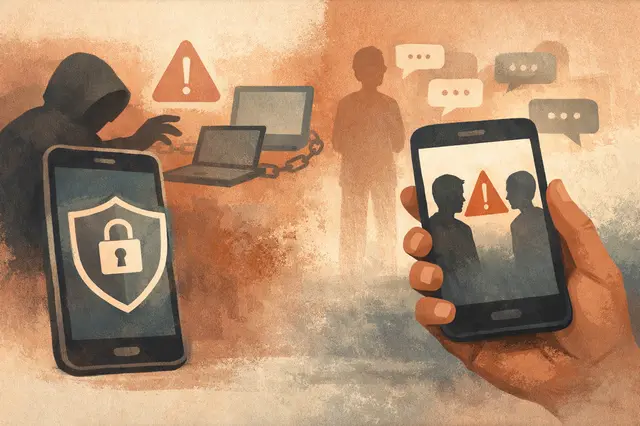
Editorial illustration generated by baba News — not a photograph of the event.
The story · English

WhatsApp has introduced two new security layers aimed at stopping account takeovers and fraud from unknown numbers. The company says the changes are meant to interrupt social-engineering scams that trick users into handing over access themselves, rather than exploiting a technical hack.

One of the most common schemes involves a message from someone pretending to be a friend or asking users to “vote” through a link. Victims are pushed to a fake WhatsApp device-linking page and asked to enter a code sent to their phone. Once they do, the scammer can access their messages, groups, and contacts, and even write on their behalf. WhatsApp now adds a built-in warning during device linking. If a request looks suspicious, for example from a device in a different geographic location, the process stops and a prominent alert explains what the new device would be able to do, such as reading chats and sending messages, so the user can cancel before damage is done.

The second layer is designed to slow down conversations with unknown numbers. When a user opens a chat with a number they have never spoken to before, WhatsApp will show a pre-chat information screen. It reveals the country where the number is registered, whether the number is saved in the user’s contacts, and whether they share any groups. The idea is to create a “trust pause” that can expose warning signs, especially a foreign country code, before the first message is sent.

Security experts at WABetaInfo caution that the protections are not foolproof. If a scammer has already made it into the user’s contacts, the warning may not appear. They recommend enabling two-step verification immediately in the app settings, which adds a personal PIN as a final safeguard. They also stress that users should never enter verification codes or scan QR codes at someone else’s request, and should verify suspicious requests by calling the person directly.


Read the original at Now 14

Ask About This Article

Duki reads it, and every newsroom on the same story, then answers with sources.

Open the live terminal